


Windscribe: Fast & Secure VPN
4.710.02K Reviews
App Specs
- Version
- 4.3.2360
- Updated On
- License
- Free
- Downloads
- 10,000,000+
- Developer
- Windscribe
- Categories
- Tools
- Platform
- Android, iOS
Screenshots


 Analysis by AppCompare
When I choose a VPN, I start with a practical question: what do I need it to do on an ordinary day? Protect a connection on public Wi-Fi, make it easier to use the internet while travelling, or give me more control over tracking? Windscribe: Fast & Secure VPN is a tools app from Windscribe that puts those everyday needs within reach, but I would still judge it by how well it fits your routine rather than by a promise of speed or privacy alone.
Start with the job you want a VPN to do
A VPN can help protect traffic between your device and its VPN connection, but it is not a complete privacy shield. It does not make every website trustworthy, prevent every form of tracking, or replace careful account and device security. I find it useful to decide what matters most before installing one: a quick connection with minimal setup, more control over where the connection goes, or a tool you plan to leave on during regular browsing.
That distinction matters because VPN apps can feel similar at first glance while serving different habits. Someone who only wants occasional protection on café Wi-Fi may prefer a simple connect-and-go routine. Someone who often changes networks or wants to choose a location may care more about server selection and settings. Windscribe’s straightforward layout is a good starting point if you want an approachable interface without treating the app as a technical project.
A hands-on fit for everyday connections
The most useful everyday scenario is easy to picture: I arrive at a café, join its Wi-Fi, and turn on the VPN before checking messages or handling a routine task. The benefit is not that I can stop thinking about security altogether; it is that I add an encrypted connection without needing to rework how I use my phone. When I leave, I can return to my usual mobile connection and decide whether I want the VPN active there too.
That small workflow is where a clear interface matters. A VPN that makes it hard to see whether I am connected can be frustrating, especially when I am switching between Wi-Fi and mobile data. Windscribe’s uncomplicated presentation helps keep the basic action easy to understand. I would still make a habit of checking the connection state after changing networks rather than assuming every transition happened exactly as intended.
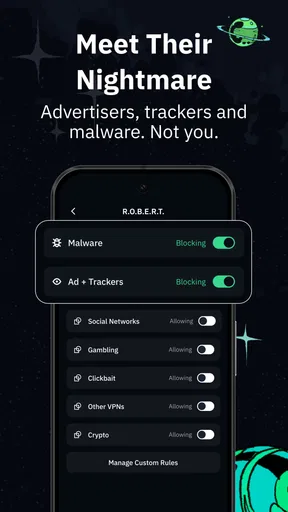
Windscribe is also aimed at people who want more than a one-tap tunnel. Its ad and tracker blocking gives the app another role in day-to-day browsing, though I would treat that as a useful layer rather than a guarantee that every advert or tracking method will disappear. If a page behaves oddly after enabling a blocker, testing the site again with that protection adjusted or temporarily off can help identify whether the feature is involved.
Getting Started with Windscribe
First things first, downloading and setting up Windscribe: Fast & Secure VPN was a breeze. The app is available on both Android and iOS, so no matter what device you're using, you're covered. Installation took just a few minutes, and before I knew it, I was ready to explore its features.
Worth Reading Before You Choose

EA SPORTS FC Mobile 26 Is a Bigger Football Game, but It Takes Time

Flipboard Shows What News Apps Must Do Beyond the Feed

Switching to Android Auto Means Rethinking Your Driving Routine

Google Calendar Makes a Crowded Week Easier to Manage

Ludo King Makes the Most of the Minutes Between Plans

Baby Panda World Brings Quick Play to Modern Phones, but Its Game Library Feels Busy
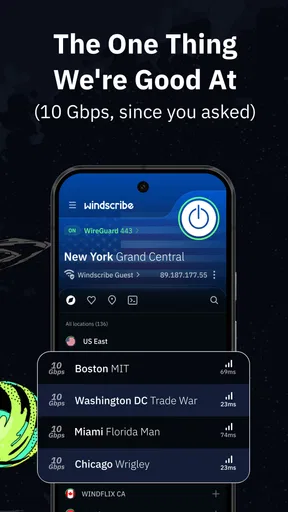
Once you open the app, you're greeted with a user-friendly interface. It's straightforward, which I appreciate. No unnecessary clutter to confuse you—just a clean layout that gets you connected to a server in no time.
Key Features That Stand Out
Now, let's talk about what sets Windscribe apart from the rest. The app boasts an impressive lineup of features that cater to both casual users and those who need a bit more firepower.
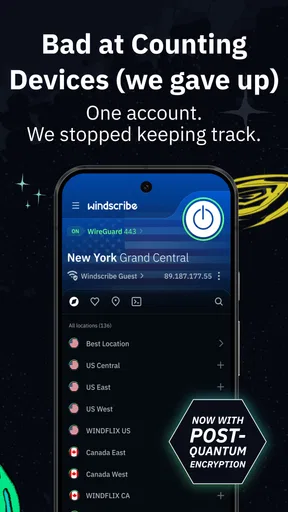
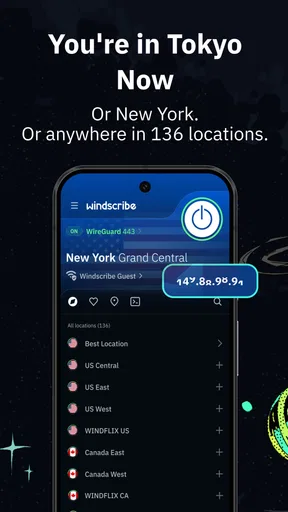
- Broad Server Network: Windscribe offers servers in over 60 countries. Whether you're looking to access content from a specific region or just want to find the fastest server near you, the options are plentiful.
- Unlimited Devices: One of the standout perks is that you can use Windscribe on an unlimited number of devices at the same time. This is a game-changer for families or anyone juggling multiple gadgets.
- Robust Security: The app uses AES-256 encryption, which is top-of-the-line in terms of security. It also includes a kill switch to ensure your data stays safe even if your connection drops.
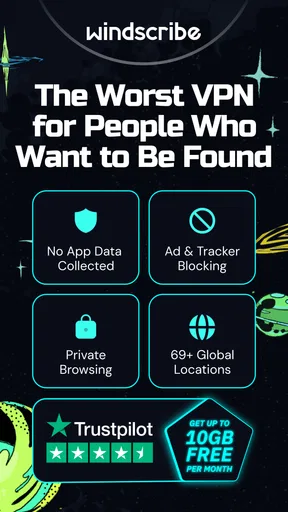
- Ad and Tracker Blocking: An added bonus is the ability to block ads and trackers. It's like having a built-in shield against those pesky online nuisances.
Performance and User Experience
Alright, let's get into the nitty-gritty—how well does this app actually perform? I tested Windscribe's speed across different servers, and it held up quite well. Streaming content was smooth, and browsing felt snappy. Of course, speeds can vary depending on your location and the server you choose, but overall, I was impressed.
One thing I really liked was the app's "Best Location" feature. It automatically connects you to the fastest server available, which is perfect for those who don't want to sift through server lists.
What to expect from the connection
A VPN changes the route your traffic takes, so I would not treat any single speed impression as a promise that every app or website will feel identical. If a video buffers or a page takes longer than usual, I would first try the suggested location, then compare it with another nearby option. That simple check can tell you whether the slowdown seems tied to the route rather than the service you are trying to use.
Automatic location selection is convenient when I want to get online quickly, but it is not always the best choice for every task. If I need a particular region, choosing a location myself makes more sense than relying on an automatic pick. And if I am only trying to protect a connection while browsing, the nearest suitable location is usually a more sensible first test than repeatedly switching across distant servers.
There is a trade-off to remember with location-based access: a VPN may help you reach services that are restricted by region, but it cannot guarantee that a particular streaming platform or site will accept a connection. Services can change how they handle VPN traffic, and the result can vary. I would choose this app for flexible browsing, not on the assumption that it will unlock every catalogue or bypass every restriction.
How it compares with other VPN approaches
Compared with a bare-bones VPN that focuses on a single connect button, Windscribe feels more useful if you want location choice and built-in ad and tracker blocking in the same app. Compared with a VPN that exposes a large number of technical controls, its clean layout may feel less intimidating, although people who want to tune every detail may prefer a more specialised tool. I would make that choice based on how much control you actually plan to use, not on how many settings an app can show.
Another alternative is not to use a VPN for every task. For ordinary browsing on a trusted connection, someone may reasonably decide that a VPN is unnecessary and rely on the security features of their device, apps, and websites. A VPN is more compelling when you regularly use networks you do not control or want a consistent encrypted route. It is not a substitute for checking a site’s address, using strong sign-in protection, or keeping software current.
For privacy-sensitive work, I would also consider the consequences of routing traffic through any VPN provider at all. A VPN shifts part of the trust relationship from the local network to the VPN service; it does not make trust disappear. If your work has strict security rules, follow those requirements first and use an approved option rather than choosing an app solely because it is convenient.
Who will appreciate it—and who may not
I think this is a good match for someone who wants a practical VPN on a phone, values an easy connection flow, and is curious about combining encrypted browsing with ad and tracker blocking. It also makes sense for people who move between home, work, and public networks and would rather have one familiar app than repeatedly search for settings each time their connection changes.
It may be a poor fit if you expect a VPN to guarantee anonymity, eliminate all advertising, or make every region-locked service available. It may also be more app than you need if your only goal is to protect one occasional task and you do not want another service to manage. For a highly controlled workplace device, an organisation’s approved VPN is the safer choice; for someone who wants no extra connection layer, the usual direct connection may be preferable.
One useful habit is to decide in advance what you will do if a site stops working with the VPN enabled. I would try another suitable location first, then temporarily disconnect only if I am comfortable with the network and the task. That keeps troubleshooting deliberate instead of turning the VPN off automatically whenever a page is inconvenient.
Cost, plans, and moving between devices
The app is free to download, and in-app purchases range from $3.99 to $94.99 per item. The free option can be a sensible way to see whether the interface, location choices, and protection features suit your habits before paying. The free plan described here includes 10GB of data each month, so I would think about what you actually do: occasional browsing is different from long video sessions or keeping a VPN active throughout the day.
If you are considering a paid option, compare the cost with your own usage rather than assuming you need an upgrade immediately. The practical question is whether the free allowance fits your routine and whether extra capacity or features would solve a real problem for you. Also check the purchase details shown in the app before committing, since the available choices and terms are what matter at the point of purchase.
Switching VPN apps is usually less about moving files and more about changing a daily habit. Before replacing another service, I would note which locations or settings I rely on, then test Windscribe on the networks and apps I use most. That is especially worthwhile if a particular work tool, game, or streaming service is sensitive to VPN connections. A short trial of your own routine is more informative than choosing from feature lists alone.
Practical details before you install
Windscribe is rated for Everyone, and it runs on Android starting with version 5.0. The current version is 3.98.2095. It has a 4.7 average from around 256,000 ratings, with roughly 9,400 written reviews, and has passed 10 million installs. Those figures suggest that it is widely used, but they do not tell me whether a specific location or service will work well for your connection; your own network and needs still matter.
Because it is a VPN, the first connection may prompt your device to approve a VPN configuration. That is part of how this kind of app routes traffic, not a reason to skip reading the prompt. I would install it from the official app marketplace, review the system dialogue, and make sure I understand when the VPN is active. If you share a device, it is worth showing other users how to recognise the connected state too.
Windscribe was released on November 3, 2017, and the developer is Windscribe. Its age and reach make it an established option in the mobile tools category, but the most useful test is still personal: connect on your usual network, try the locations you care about, and see whether the added layer fits comfortably into your day.
Is Windscribe Worth It?
So, after spending some quality time with Windscribe, would I recommend it? Absolutely! It's a solid choice for anyone in need of a reliable VPN that doesn't skimp on features. Whether you're concerned about privacy, need to bypass geo-restrictions, or simply want to browse without ads, this app has got you covered.
And let's not forget the generous free plan. It gives you 10GB of data every month, which is perfect for light users. If you find yourself needing more, the premium plans are reasonably priced and come with a ton of extra features.
In conclusion, if you're searching for a VPN that combines speed, security, and a user-friendly interface, Windscribe: Fast & Secure VPN is definitely worth checking out. Give it a shot, and happy browsing!
Pros
- Easy-to-use interface for all users.
- Unlimited device connections supported.
- Strong encryption ensures privacy.
- Ad blocker included for free users.
- Wide range of server locations.
Cons
- Limited free data cap monthly.
- Inconsistent speeds on some servers.
- No 24/7 customer support available.
- Some features require premium upgrade.
- Doesn't work with all streaming sites.
FAQs for Windscribe: Fast & Secure VPN
What platforms is Windscribe VPN available on?
Windscribe VPN is available on a variety of platforms, including Android, iOS, Windows, macOS, and Linux. Additionally, it supports browser extensions for Chrome, Firefox, and Opera, making it versatile for users across different devices and operating environments. This ensures that your online activities can be protected on almost any device you use.
Does Windscribe VPN offer a free version?
Yes, Windscribe VPN offers a free version that provides users with 10 GB of data per month. This free plan includes access to a limited number of servers, making it a good option for casual users who need basic privacy protection without committing to a subscription. However, heavier users might consider the premium plans for more features.
How secure is Windscribe VPN?
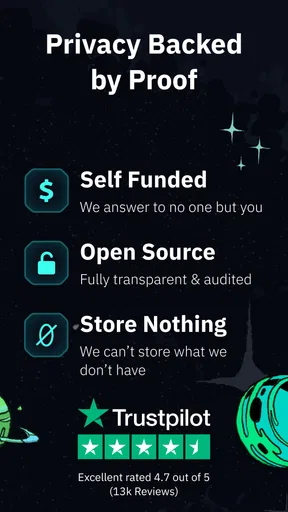
Windscribe VPN employs strong encryption protocols such as AES-256 to ensure a high level of security for its users. It also offers features like a kill switch, DNS leak protection, and a no-logs policy, which enhances user privacy by ensuring that your online activities remain anonymous and secure from potential tracking and data breaches.
Can Windscribe VPN be used for streaming services?
Windscribe VPN is capable of accessing some popular streaming services, allowing users to bypass geo-restrictions and enjoy content from different regions. However, the effectiveness can vary depending on the server used and the streaming platform’s ability to block VPN traffic. Premium users have more options for dedicated servers that can improve streaming performance.
How easy is it to set up Windscribe VPN?
Setting up Windscribe VPN is user-friendly and straightforward. The app features a clean interface that guides users through the installation and setup process. Once installed, connecting to a server is as simple as selecting a location and clicking connect. The intuitive design makes it accessible even for those who are new to using VPNs.


